Sketch Plugin

Download the VectoUI Sketch Plugin

Connect VectoUI in Sketch, choose a project path, and upload your design to your VectoUI space.

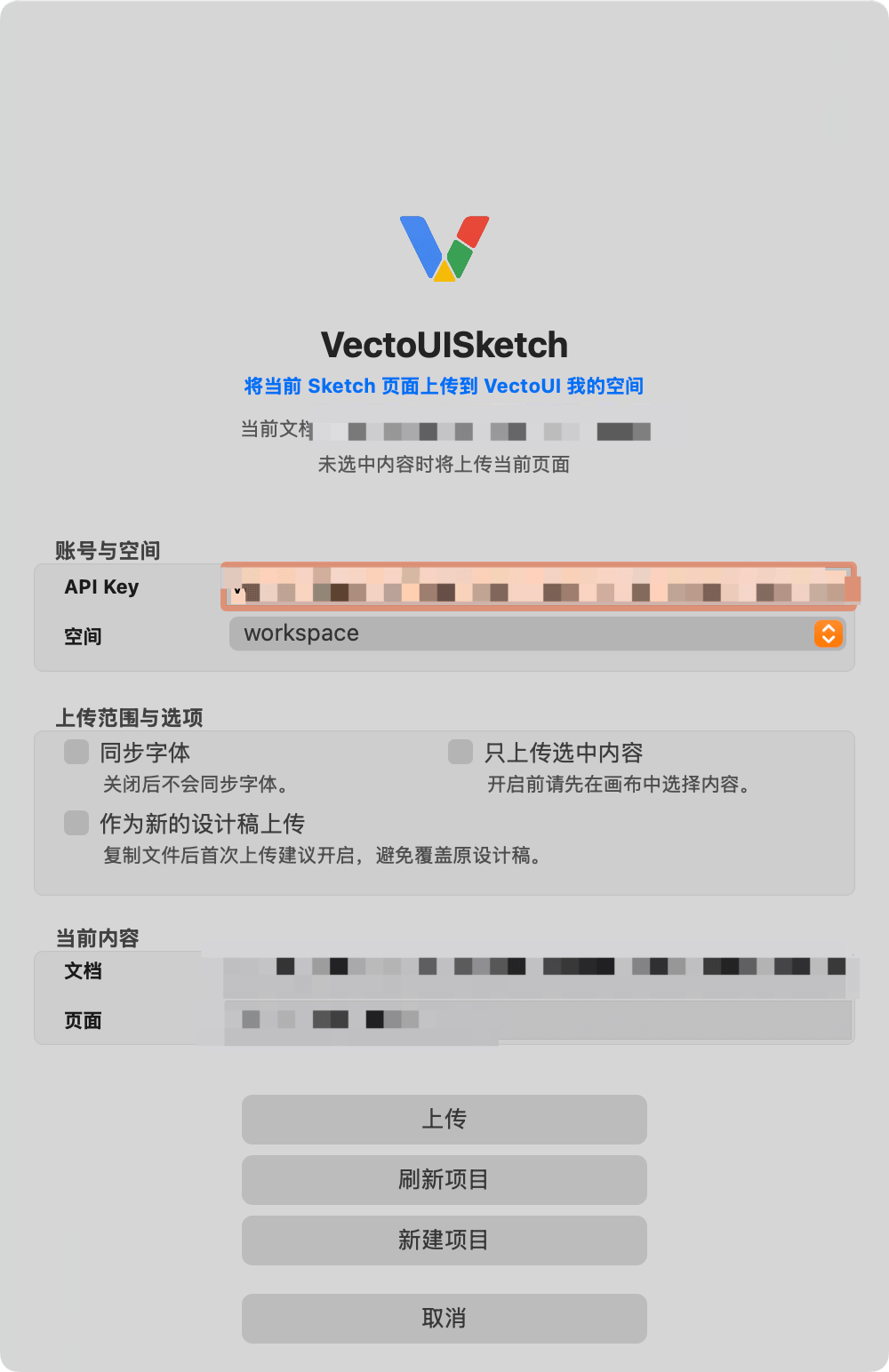
VectoUI Sketch plugin upload panel
VectoUI Sketch

Plugin Information

Current version and installation requirements for the Sketch plugin.

Plugin name
VectoUISketch
Current version
0.1.0
Supported app
Sketch 100.3+ (macOS, verified)
Before you start
VectoUI API Key

Download Link

Download, unzip, and install the .sketchplugin package.

Release package

VectoUISketch

The VectoUI upload plugin for Sketch, used to connect your account and upload design files.

Version0.1.0
FileVectoUISketch-0.1.0-sketch100.3.sketchplugin.zip
Size384 KB
SHA256

57433d68acfb6a233ae1a363049ea3462c65f5a7a0b3b139184dd7ef9821e1cd
Download Plugin

Installation Guide

Sketch is available on macOS only. Install the plugin with the steps below.

macOS

Install on macOS

Sketch 100.3+ (verified)

  1. 1Unzip the download package.
  2. 2Double-click the .sketchplugin file to install it.
  3. 3Open Sketch and find VectoUISketch from the Plugins menu.
  4. 4Open the plugin panel, enter your VectoUI API Key, and start using it.

Workflow

The main steps after installing the plugin.

1

Install the plugin

Unzip the package and double-click the .sketchplugin file to install it.

2

Enter API Key

Paste your VectoUI API Key in the VectoUISketch panel. The plugin will load your available project paths.

3

Choose a project path

Use workspace by default, or create a new top-level project path in the plugin.

4

Upload the design

Start the upload from the plugin panel to upload the current design to VectoUI.

Screenshots

These screenshots show the main Sketch plugin interface states.

VectoUI Sketch plugin upload panel

Upload panel

Users only need to configure the API Key, choose a space, and start the upload.

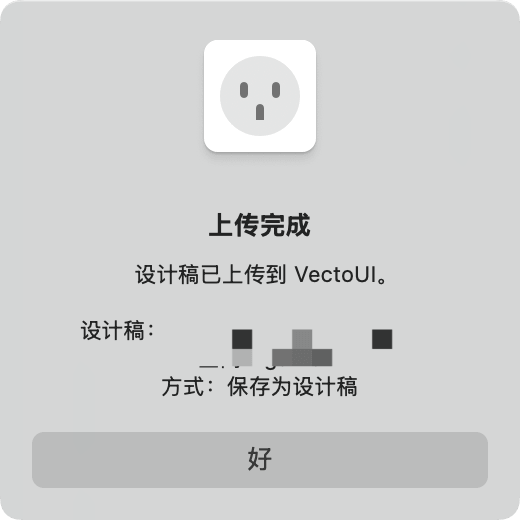
VectoUI Sketch plugin upload success dialog

Upload success

When upload completes, the plugin shows a success message.

Related Documentation

After downloading the plugin, use the guide to complete installation and upload.

Start uploading Sketch designs

Install the plugin, get your VectoUI API Key, and upload Sketch designs to your VectoUI space.