Sketch Plugin Upload Guide
Install VectoUISketch, enter your API Key, choose a project path, and upload Sketch designs to My Space.
Sketch Plugin Upload Guide
VectoUISketch uploads Sketch designs to My Space in VectoUI. After upload, you can view and manage the design in My Space, and use it in target platforms that support VectoUI.
Download and install
The current plugin supports Sketch 100.3+ (macOS, verified). Sketch itself is only available on macOS, so the Sketch plugin cannot be installed on Windows.
Download the Sketch plugin:
Unzip the package and double-click the .sketchplugin file to install it. After installation, VectoUISketch appears in the Plugins menu in Sketch.
Open the upload panel
Open the design file in Sketch. We recommend saving the current .sketch file before upload. Then open the VectoUISketch upload panel from the Plugins menu.
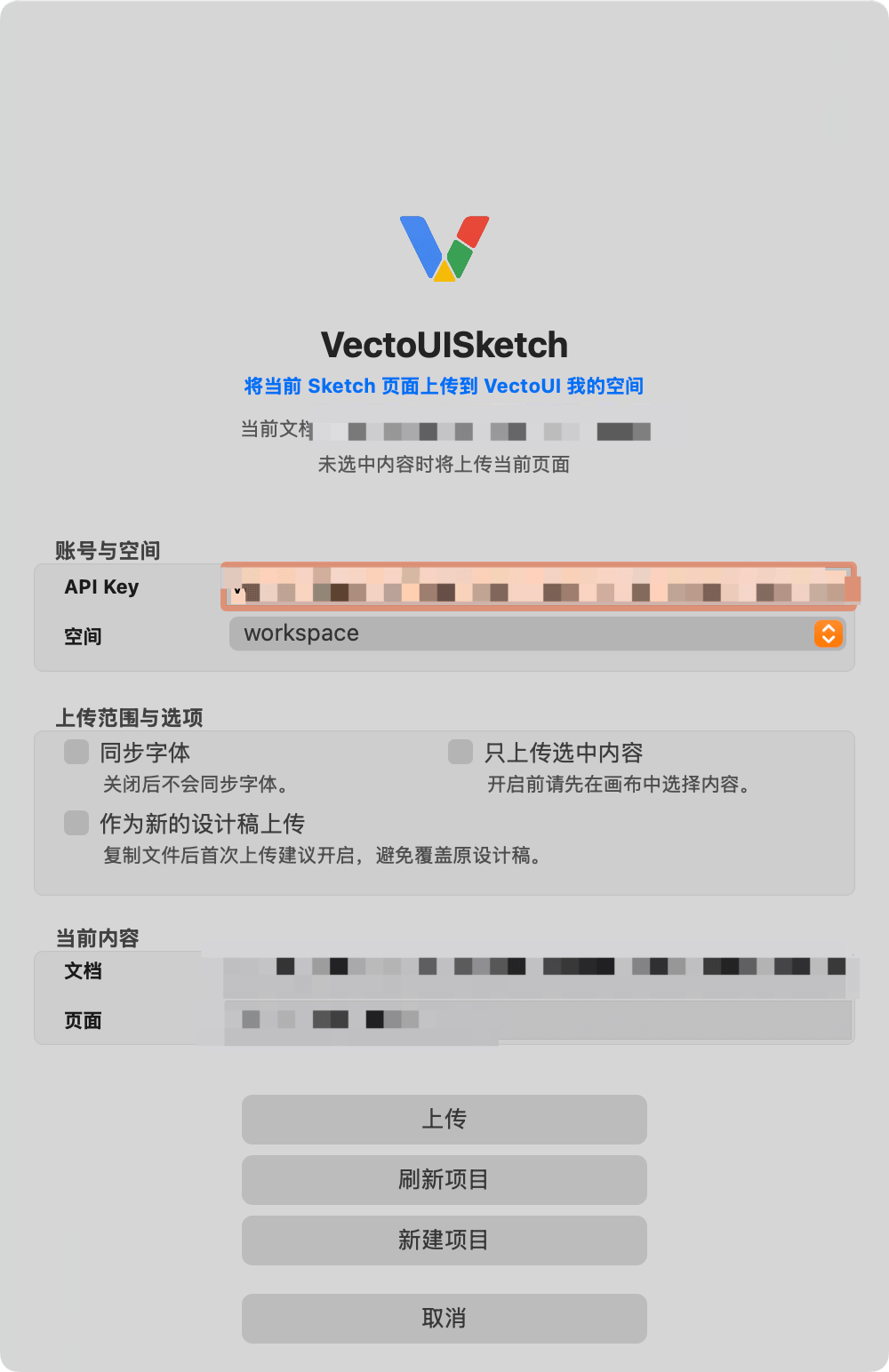
Configure API Key
Paste your VectoUI API Key into the panel. After the key is entered, the plugin loads your available project paths automatically.
If no project path has been created, workspace is used by default. You can also create a new top-level project path from the panel. A newly created path is selected automatically.
Upload options
- Upload font files: Off by default. Enable it only when the design needs to include font files.
- Upload selected content only: Off by default. Enable it to upload only the currently selected layers or groups, such as a dialog, button group, or partial component. If you are not sure, keep it off.
- Upload as a new design: Off by default. If you copied a .sketch file and want it to appear as a separate design in My Space, enable this option.
Upload
After confirming the API Key, project path, and upload options, click upload. During upload, the plugin only shows progress and status.
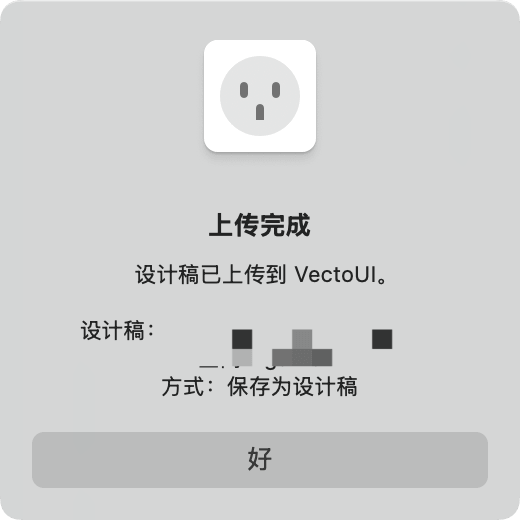
A success dialog appears when upload finishes.
Where to view the design
After upload, open My Space to view the design. My Space only shows management information such as preview image, name, size, update time, and project path.
FAQ
Do I need to save the Sketch file first?
Saving is recommended. The plugin generates upload content from the current document state, and saving reduces uncertainty from unsaved changes.
Can I install the Sketch plugin on Windows?
No. Sketch itself only supports macOS.
Can I create nested folders?
No. VectoUI currently supports top-level project paths only.
What should I do if upload fails?
Check whether the API Key is correct, account storage is sufficient, and network access is available. If the remaining storage is insufficient, delete designs you no longer need in My Space and try again.