Use the VectoUI Source in Unity
Select the VectoUI source in the Unity plugin, load designs from My Space and Shared with Me, and generate UI Prefabs.
Use the VectoUI Source in Unity
The Unity plugin can switch its data source to VectoUI, load designs from My Space and Shared with Me, and generate editable UI Prefabs.
Before You Start
- Install the VectoUI Unity plugin. If you have not installed it yet, go to the Unity Plugin Download Page first.
- Get your API Key from your VectoUI account.
- Make sure the design has been uploaded to My Space through the Sketch or Photoshop plugin, or shared with your VectoUI account by another user.
Switch to the VectoUI Source
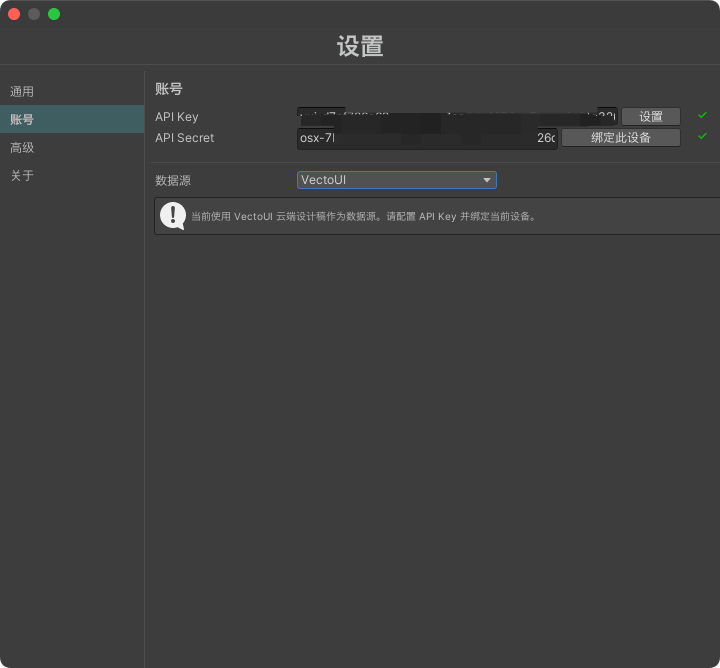
Open settings in the Unity plugin, switch the data source to VectoUI, and enter your API Key. After configuration, return to the converter panel and load your designs.
View Project Paths and Designs
You can view your own project paths, or open Shared with Me to view designs shared by other users. The design list shows preview image, name, source, size, and update time, so you can choose what to generate inside Unity.
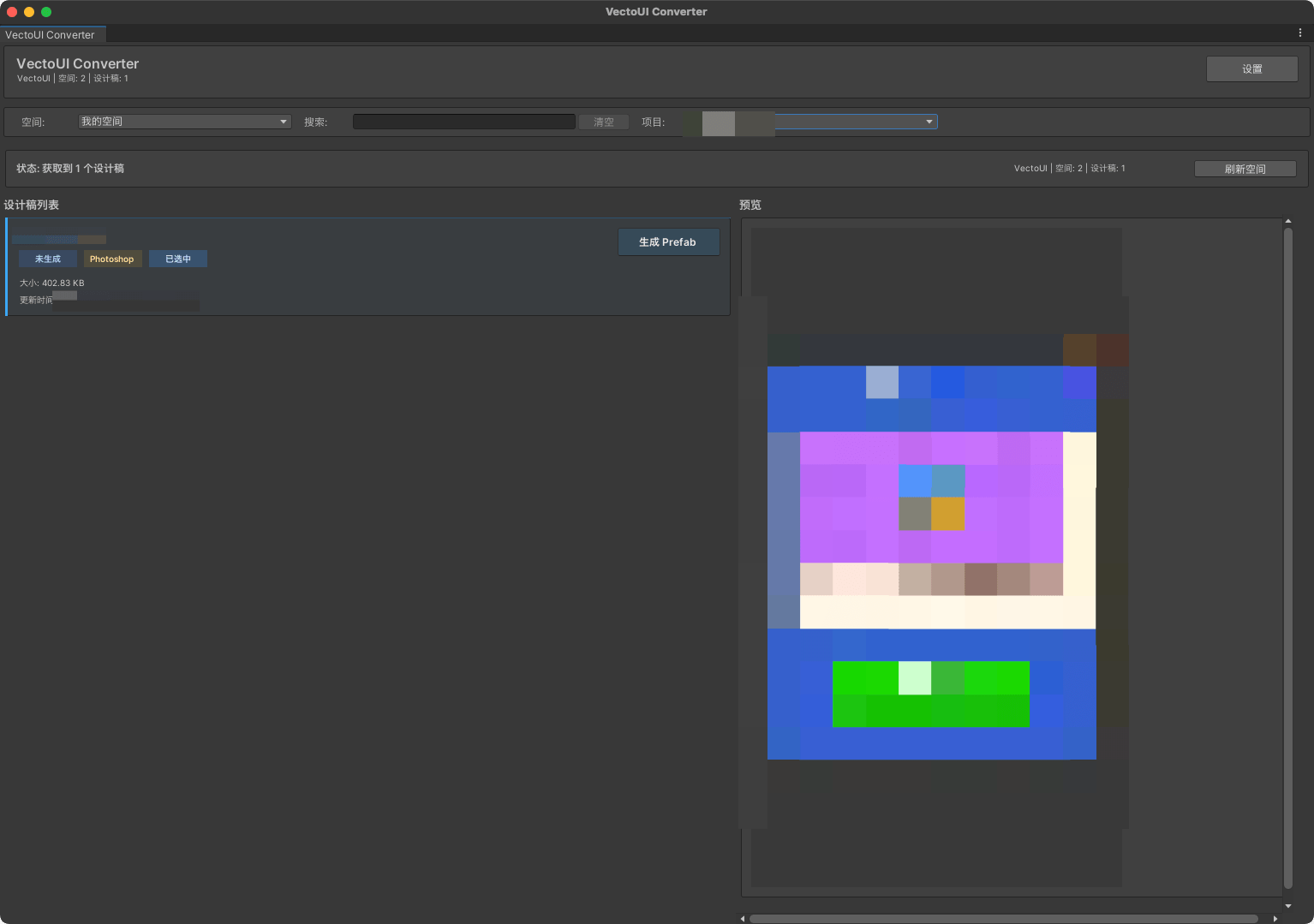
If there is no shared content, the plugin shows an empty Shared with Me state.
Generate UI Prefab
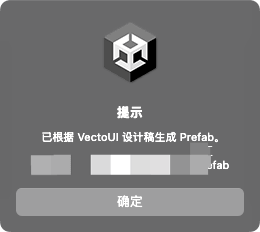
Select a design and click generate. The Unity plugin creates an editable UI Prefab and places the resources required by the generated UI into your project.
After generation, the plugin locates the result so you can continue editing and integrating it into your project.
Post-Processing Support
If your project already has VectoUI post-processing configured, Prefabs generated from the VectoUI source will continue to use that flow. You can keep using your existing rules for component completion, reference organization, or project-specific processing.
FAQ
Do I Only Need to Enter API Key?
Yes. Select the VectoUI data source in the Unity plugin, enter your API Key, and then you can load and generate designs.
Can I Generate Designs Shared with Me?
Yes. Designs shared with your account appear in Shared with Me, and you can select them for generation.
Where Is the Generated Prefab?
The plugin creates the result inside your Unity project and locates the generated Prefab, so you can continue editing and integrating it.
What Should I Do if I Cannot See a Design?
First check whether the API Key is correct, whether the design has been uploaded to My Space, or whether the share was sent to your VectoUI account.